Comprehensive Audio Management with MediaMonkey

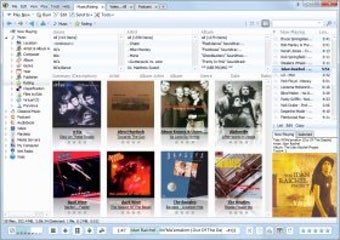
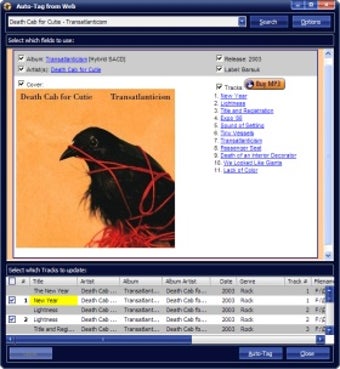
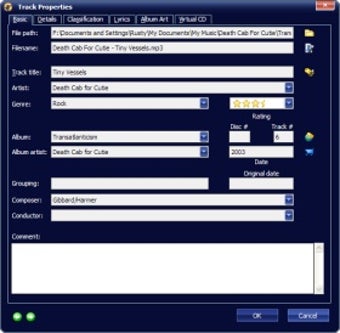
MediaMonkey is a powerful multimedia application designed for Windows that focuses on audio management. This trial version software allows users to organize, manage, and play their music collections efficiently. It supports a wide range of audio formats and offers features such as automatic tagging, playlist creation, and synchronization with various devices. Users can also take advantage of its extensive library management tools, making it easy to find and play music based on various criteria.

Unlock your creativity with Adobe Stock

Get 10 images or 1 video with a free trial

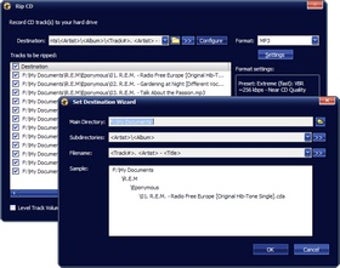
In addition to its organizational capabilities, MediaMonkey includes features for audio conversion and CD ripping, which enhances its utility for music enthusiasts. The software's user-friendly interface and customizable options cater to both casual listeners and serious audiophiles. Overall, MediaMonkey stands out as a robust solution for anyone looking to streamline their audio experience on Windows.


 0/4

App specs

Also available in other platforms

Program available in other languages


User reviews about MediaMonkey

4.2

1 reviews

Add review

Main reviews for you

  • Anonymous user

    The Best iTunes Alternative. As much as I love Winamp and Spider Player for Audio files, both lack the ability to sync audio files to mp3 players. There is iTunes but to some like me, it's a little too bulky and slow for those who just want to sync their music with their iPods. This s where MediaMonkey comes in. MediaMonkey has the ability to copy and paste songs from the player to your iPod Touch and almost any other mp3 device. On top of that it has a basic auto-tagging feature of it's own, the best part is being able to put lyrics in to the tags. This is useful for iPod Touch users who will be able to see the lyrics as the song plays.The downsides are while it can copy and paste audio files, it can't really sync them. So iPod users still need iTunes for this. Another downside is it doesn't have a way by default to go to system tray and the fact that it's too easy to pause MediaMonkey and lacks a rich auto-tagging feature outside of the lyrics tagger. Another issue is when your trying to clear your playlist you can very well delete some of your songs instead by accident.If you don't care about syncing your tunes and just want to copy and paste songs and you hate iTunes then MediaMonkey is the way to go. However if you want a more feature rich Audio Player your better off using an Audio Player like Winamp. Pros: Copy And Paste Audio Files To MP3 PlayersEmbed Song Lyrics Into Audio FilesPlays Almost All Types Of Audio FilesNice Clean InterfaceFree Cons: Basic Auto-Tagging FeatureToo Easy To Pause SongsNo Default Way Put In System TrayStill Need iTunes To Sync iPodsCan Accidentailly Delete Audio Files

More

You may also like

Alternatives to MediaMonkey

Explore Apps

Latest articles

Laws concerning the use of this software vary from country to country. We do not encourage or condone the use of this program if it is in violation of these laws. Softonic may receive a referral fee if you click or buy any of the products featured here.


Signed in to Softonic as